
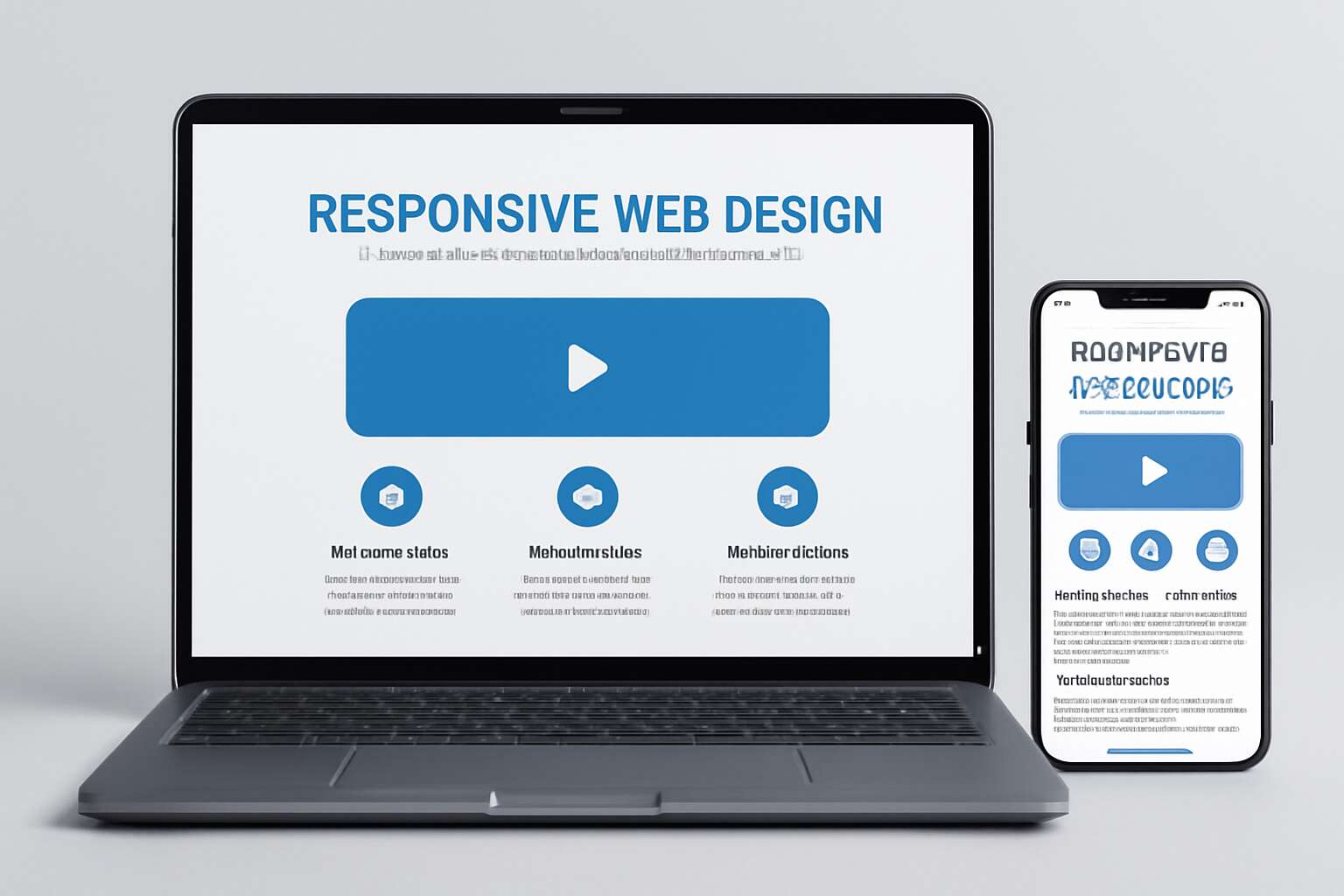
Understanding Responsive Web Design
Defining Responsive Design
In a world where over 60% of web traffic now originates from mobile devices, understanding responsive web design isn’t just a luxury—it’s an imperative. Imagine a website that transforms seamlessly, like a chameleon blending into its environment, adapting to screens of all sizes with grace and precision. Responsive design is the art of crafting such digital chameleons, ensuring your site looks stunning whether viewed on a compact smartphone or a sprawling desktop monitor.
Defining responsive design involves more than just flexible images and fluid grids; it’s about creating an experience that responds intuitively to the user’s device. At its core, it’s about making every visitor feel as if the website was tailored just for them. To achieve this, consider these responsive website tips:
- Prioritize fluid layouts that adjust effortlessly to any screen size.
- Use media queries to tailor the presentation based on device capabilities.
- Optimize images to load swiftly without sacrificing quality.
Importance of Responsiveness in Modern Web Development
In a landscape where mobile devices dominate web browsing—accounting for over 60% of traffic—the importance of responsiveness in web development cannot be overstated. A responsive website isn’t just about aesthetics; it’s about creating an immersive experience that adapts seamlessly to every device, whether it’s a sleek smartphone or a large desktop screen. This flexibility transforms the user journey into something intuitive, almost magical, where content flows effortlessly and visuals remain crisp.
To truly harness the power of responsive web design, embracing responsive website tips is essential. These tips help developers craft sites that are not only visually appealing but also function flawlessly across all devices. For example, implementing fluid grids and flexible images ensures your site maintains its charm and usability at any size. Remember, in the digital realm, responsiveness can turn a fleeting visitor into a loyal customer, making it a vital element of modern web development.
Key Principles of Responsive Websites
In a world where the digital landscape constantly shifts, understanding the core principles of responsive web design becomes essential. It’s not just about making a website look good; it’s about creating a fluid experience that adapts effortlessly to every device. At the heart of this philosophy lies the idea that design should be flexible, yet precise—allowing content to flow naturally without sacrificing clarity or visual impact.
Responsive websites are built on key principles that prioritize user engagement and usability. These include flexible grids, adaptable images, and media queries that intelligently adjust layout and elements based on screen size. Implementing responsive website tips like these ensures your site remains accessible and attractive—regardless of whether visitors browse on a compact smartphone or a widescreen desktop. By weaving these elements into your design process, you create a seamless journey that’s both intuitive and immersive, reflecting the evolving ways people connect with digital content every day.
Planning a Responsive Website
Analyzing User Devices and Browsers
Building a responsive website is like trying to herd cats—chaotic, unpredictable, but ultimately rewarding when done right. A crucial step often overlooked in the pursuit of digital harmony is analyzing user devices and browsers. Without this intelligence, your site risks being a digital chameleon that refuses to blend in. South African users, for instance, access the web through a vibrant mosaic of smartphones, tablets, and desktops—each demanding tailored attention.
To truly master responsive website tips, you need to understand the quirks and capabilities of these devices. This involves testing your site across various browsers—Chrome, Safari, Edge, and the elusive Opera Mini—ensuring that your digital masterpiece displays flawlessly. Consider creating a phased approach to device analysis, like this:
- Identify the most common devices used by your audience.
- Test your website’s responsiveness on these devices and browsers.
- Adjust your design to accommodate unusual aspect ratios or limited bandwidth.
By diving into this granular level of analysis, you ensure your website isn’t just responsive in theory but resilient in practice—ready to dazzle South African users no matter how they access it. Because, let’s face it, responsiveness isn’t a luxury; it’s an essential ingredient in digital success.
Creating Flexible Layouts
In the sprawling landscape of digital design, crafting a truly responsive website is akin to weaving a tapestry that adapts seamlessly to every viewer’s device. The secret lies in planning a flexible layout—one that gracefully bends without breaking when faced with the myriad of devices South African users prefer. Think of it as designing a garment that fits everyone from the bustling streets of Johannesburg to the tranquil coastlines of the Western Cape.
To achieve this, consider employing a fluid grid system that uses percentage-based widths, allowing your layout to stretch or shrink with screen size. Incorporating flexible images and media ensures that visual elements remain crisp and proportional, regardless of the device. For an extra layer of finesse, embrace CSS media queries—your trusty compass guiding style adjustments across diverse screen dimensions.
Remember, responsive website tips aren’t merely about aesthetics—they’re about creating an experience that’s effortless and engaging. With thoughtful planning and a dash of ingenuity, your site becomes a chameleon, flawlessly adapting to each visitor’s digital journey. Because in the end, a responsive site isn’t just a feature; it’s the cornerstone of modern web excellence.
Designing for Mobile First
In the vibrant tapestry of South Africa’s digital landscape, designing with a mobile-first mindset transforms the user experience into something truly exceptional. With over 70% of South African users accessing the internet via mobile devices, planning a responsive website that prioritizes mobile is no longer optional—it’s essential. This approach ensures your site is not only accessible but also engaging, regardless of the device in hand.

Focusing on a mobile-first design involves crafting a seamless experience from the smallest screens upward. Think of it as an elegant dance—each step carefully choreographed to adapt gracefully to different devices. Incorporate simple, intuitive navigation, and optimize touch interactions to keep users engaged. Responsive website tips emphasize the importance of testing your design across various mobile devices, ensuring performance and visual harmony. Remember, a well-planned mobile-first approach can elevate your digital presence, turning casual visitors into loyal patrons.
Responsive Design Best Practices
Utilizing Flexible Grid Systems
In today’s digital landscape, a staggering 70% of users abandon websites that don’t display correctly on their device. That’s where responsive design best practices come into play, especially when utilizing flexible grid systems. These grids act as the backbone of a responsive website, ensuring content adapts seamlessly across all screens. By employing a fluid layout, the design dynamically reflows, preventing awkward gaps or overlaps that frustrate visitors.
Flexibility is key. Instead of fixed widths, use relative units like percentages or viewport-based measurements. This approach allows your website to scale gracefully, regardless of device size. To streamline the process, consider implementing a modular grid system that simplifies layout adjustments. Here’s a quick look at the core principles:
- Use flexible grid frameworks like CSS Grid or Flexbox
- Design with a mobile-first mindset
- Test across various device sizes regularly
Mastering these responsive website tips ensures your site remains functional, attractive, and user-friendly — no matter what device your visitors use. And in a competitive market, that can make all the difference.
Implementing Fluid Images and Media
Imagine a world where your website transforms effortlessly across all devices, much like a chameleon blending seamlessly into its surroundings. That’s the essence of implementing fluid images and media within your responsive website tips arsenal. Instead of static visuals that break apart on smaller screens, fluid images breathe life into your site, resizing gracefully to fit every viewport. This harmony between media and layout ensures your audience’s experience remains enchanting, no matter what device they use.
To weave this magic effectively, consider employing CSS techniques such as max-width: 100%; and height: auto; which allow images and media to scale proportionally without distortion. Incorporating flexible media also involves choosing vector-based graphics or scalable SVGs, which retain crispness at any size. For videos, embedding responsive players that adapt to different screen resolutions ensures your content remains captivating. These responsive website tips are essential in creating a visually compelling and user-friendly digital realm, captivating visitors from Cape Town to Johannesburg.
Leveraging CSS Media Queries Effectively
In our fast-paced digital landscape, a staggering 70% of users abandon websites that aren’t optimized for their device. That’s a compelling reminder of why leveraging CSS media queries effectively is paramount for responsive website tips. These queries act as the backbone of adaptable design, allowing your site to respond dynamically to various screen sizes and orientations. Instead of creating separate versions for mobile and desktop, media queries enable a seamless flow, enhancing user experience across devices.
To maximize their potential, consider crafting well-structured breakpoints that correspond to common device widths, such as smartphones, tablets, and desktops. A strategic approach might involve an ordered list like this:
- Identify key device categories and set specific media queries for each.
- Adjust layout elements, such as navigation menus and content blocks, within these queries.
- Test responsiveness rigorously across multiple devices and browsers for consistency.
By weaving these responsive website tips into your development process, you ensure your website remains not just functional, but captivating—no matter where your visitors are tuning in from, whether bustling Johannesburg or serene Cape Town. Mastering CSS media queries transforms your site into a flexible, user-centric platform that adapts effortlessly, elevating your digital presence with finesse and precision.
Prioritizing Content Hierarchy
In the vast digital savannah, where every pixel and paragraph vies for attention, the secret to captivating your audience lies in prioritizing content hierarchy. A website’s structure must resemble a well-orchestrated symphony—where each element plays its part in harmony, guiding visitors effortlessly through your story. When crafting responsive websites, this hierarchy becomes even more vital, ensuring that key messages shine brightly regardless of device or screen size.
Imagine your content as a mythical creature—powerful yet precise. To give it the prominence it deserves, consider implementing a strategic order:
- Highlight the most important information at the top—your hero message or call to action.
- Use visual cues, such as bold typography and contrasting colors, to draw attention.
- Ensure secondary elements, like supplementary links or images, adapt seamlessly within the layout.
By weaving these responsive website tips into your design process, you craft a digital realm that commands attention—whether your visitors are exploring from Johannesburg’s bustling streets or Cape Town’s tranquil shores. Prioritizing content hierarchy is the enchanted key to transforming your site into a captivating portal that resonates across every device and landscape.
Optimizing Performance for Responsiveness
Minimizing Load Times
In a landscape where every second counts, optimizing performance for responsiveness becomes the heartbeat of a successful website. Slow load times can turn visitors away faster than a sudden storm on a dusty rural farm. To truly minimize load times, focus on streamlining code and reducing unnecessary elements that bog down your site. Compressed images, for example, not only save bandwidth but also ensure your content loads swiftly on any device.
A practical approach to this is implementing a layered content delivery strategy, where critical information appears first, capturing interest immediately. Using a content delivery network (CDN) can also dramatically improve speed, especially when serving a diverse audience spread across South Africa. Remember, the goal of responsive website tips is to create a seamless experience—one where your site adapts effortlessly and loads in the blink of an eye, whether on a smartphone in a bustling marketplace or a desktop at home.
Optimizing Images for Different Screen Sizes
In a world where attention spans are shrinking faster than a quick Johannesburg rainstorm, optimizing performance for responsiveness is no longer optional — it’s essential. Fast-loading websites not only hold visitors longer but also boost your search engine rankings. A crucial aspect of this is optimizing images for different screen sizes. Large, uncompressed images can cripple load times and frustrate users across South Africa’s diverse device landscape.
By employing responsive image techniques such as the srcset attribute and modern formats like WebP, you ensure your visuals adapt seamlessly to any device, from a compact smartphone in Cape Town to a widescreen desktop in Pretoria. This kind of finesse allows your site to maintain a sleek, polished appearance without sacrificing speed. It’s a delicate dance—balancing visual appeal with performance—that embodies true responsive website tips. When images are optimized thoughtfully, your content loads swiftly, and your visitors’ experience becomes effortlessly smooth.
Reducing HTTP Requests
In South Africa’s vibrant digital landscape, every millisecond counts. Reducing HTTP requests is a vital responsive website tip that can dramatically improve your site’s performance. When a browser makes too many requests, it slows down the entire loading process, frustrating visitors who expect instant access—especially on mobile networks that can be unpredictable here. Simplifying your site’s structure by consolidating files and limiting external scripts makes a tangible difference. Streamlining your code not only cuts down on unnecessary HTTP requests but also ensures your content loads swiftly across all devices.
Sometimes, a minimal approach is the best approach. Consider prioritizing critical assets and deferring non-essential components. For instance, load essential styles and scripts first, then load others asynchronously. This clever technique embodies responsive website tips that focus on enhancing user experience without sacrificing visual appeal. Remember, in a country where connectivity varies, every optimization step counts toward creating a seamless digital journey for your visitors.
Using Lazy Loading Techniques
In South Africa’s unpredictable digital terrain, speed is everything. Lazy loading techniques are a secret weapon for optimizing performance and boosting responsiveness on your website. By loading images and media only when they’re about to enter the viewer’s viewport, you cut down on unnecessary data transfer and keep your pages light and nimble. This approach ensures your site remains responsive, even on sluggish mobile networks, offering visitors a seamless experience.
Implementing lazy loading can be straightforward, yet profoundly impactful. Use native HTML attributes like loading="lazy" or leverage JavaScript libraries to manage media dynamically. For example, you might prioritize displaying critical content first, then defer less essential images and videos. This strategic layering aligns perfectly with responsive website tips designed to improve user engagement and site speed under varying connectivity conditions. In a landscape where every millisecond matters, lazy loading is a game-changer for creating a fast, fluid digital experience across all devices.
Testing and Debugging Responsive Websites
Cross-Device Testing Tools
Testing and debugging responsive websites is often the final frontier before launching a digital masterpiece. Without thorough cross-device testing, even the sleekest designs can crumble under the weight of real-world usage. It’s a haunting truth—what looks perfect on a desktop might be a jumbled mess on a smartphone or tablet. To combat this, developers turn to cross-device testing tools that reveal how your site performs across a mosaic of screens, browsers, and operating systems.
Leveraging these tools ensures your website isn’t just visually appealing but also functionally resilient. Popular options include BrowserStack and Sauce Labs, which allow you to simulate different environments seamlessly. By systematically testing your responsive website tips across multiple devices, you can identify and fix layout glitches, broken media, or slow load times that could scare away visitors. Remember, a responsive website optimized for every device isn’t a luxury—it’s a necessity in today’s digital landscape.

Using Browser Developer Tools
In the digital symphony of today’s web landscape, ensuring your responsive website tips hit all the right notes can be the difference between applause and silence. When it comes to testing and debugging, browser developer tools are a magician’s wand—offering a window into the intricate dance of pixels and code. These tools allow developers to simulate a multitude of devices, operating systems, and browsers, revealing how your website performs under various conditions.
With a few clicks, you can resize your browser window or switch to device emulation mode, unveiling hidden layout quirks or media glitches. This process is nothing short of alchemy—transforming raw code into a seamless experience for every user. Remember, responsive website tips often emphasize the importance of this step, as it ensures your site remains resilient across the diverse tapestry of South African devices. By mastering browser developer tools, you invite your website to breathe effortlessly across all screens, making it a true digital masterpiece.
- Inspect CSS for responsiveness issues
- Test media queries in real-time
- Identify slow-loading elements
- Debug layout inconsistencies
Automated Testing for Responsiveness
Testing and debugging your responsive website is akin to giving it a health check-up—crucial for ensuring it performs flawlessly across all devices. Automated testing for responsiveness uses sophisticated tools that can simulate various screen sizes, browsers, and operating systems, saving you countless hours of manual fiddling. These tools can automatically identify layout flaws, media query issues, and sluggish elements that might otherwise slip through unnoticed.
By integrating automated responsiveness testing into your workflow, you catch bugs early, ensuring your site adapts seamlessly for every South African device—be it a high-end smartphone or a budget tablet. Incorporating these responsive website tips helps you maintain a resilient and user-friendly site, reducing bounce rates and boosting engagement. After all, a website that works everywhere is a website that wins everywhere.
Advanced Responsive Design Tips
Implementing Mobile Navigation Menus
In a digital landscape where over 70% of users engage via mobile devices, implementing advanced responsive design tips becomes not just a strategy but a necessity. One often overlooked facet of creating a seamless user experience is the artful implementation of mobile navigation menus. These menus, when crafted with finesse, transform a cluttered interface into a fluid gateway to your content, inviting exploration without overwhelming the senses.
Imagine a navigation menu that gracefully adapts—shrinking, expanding, or transforming into a sleek icon—ensuring every click is intuitive and effortless. Techniques such as off-canvas menus or collapsible accordions breathe life into your design, making navigation feel natural, even on tiny screens. When designing with responsiveness in mind, consider a hierarchy that prioritizes essential links, reducing cognitive load and enhancing accessibility. By weaving these responsive website tips into your development process, your site will not only look stunning but also resonate with users across the spectrum of devices—because in the end, a responsive website is a responsive business.
Touch-Friendly Interactive Elements
Touch-friendly interactive elements are the heartbeat of a truly responsive website, especially on mobile devices where precision is paramount. When designing for touch, every button, slider, or link must invite exploration without frustration. Think of your interface as a delicate dance—each tap or swipe should flow seamlessly, encouraging users to engage deeper with your content. Incorporating larger, well-spaced touch targets not only enhances usability but also elevates accessibility, ensuring everyone can navigate effortlessly.
To truly enchant your visitors, consider embedding hover-like effects that respond to touch—subtle animations or color shifts that confirm an action is recognized. These small yet powerful responsive website tips can transform a mundane interface into an intuitive experience. Additionally, employing
- gesture controls
- scroll-triggered animations
- dynamic feedback mechanisms
ensures your site feels alive and responsive to the user’s every move. When executed with finesse, these elements forge a tactile connection, making your digital space feel more like a welcoming realm than just a static page.
Creating Adaptive Typography
When it comes to responsive website tips, one area often overlooked is adaptive typography. Instead of sticking to one font size across all devices, embrace scalability! Thoughtful typography adapts seamlessly, ensuring your message remains clear whether your visitor is on a tiny smartphone or a sprawling desktop monitor. The secret? CSS techniques like clamp() or min() and max() functions that allow fonts to fluidly resize based on the viewport.
To make this happen smoothly, consider implementing a set of typographic breakpoints that respond to device size. This not only improves readability but also creates a cohesive aesthetic. Here’s a quick rundown of what to keep in mind:
- Prioritize legibility over decorative fonts on smaller screens.
- Use relative units like rem or em instead of pixels—your text will breathe better.
- Test across various device sizes to ensure your adaptive typography hits the sweet spot.
Mastering this responsive website tip can turn a bland, generic site into an engaging, user-focused experience—one that adapts as effortlessly as your visitors navigate through your content. Because in the end, good typography isn’t just about style; it’s about making your message unmistakably clear—regardless of the device in hand.
Using Progressive Enhancement
In the relentless race to craft websites that look good on every device, mastering advanced responsive design tips is essential. Enter progressive enhancement—a strategy that ensures your site remains functional and visually appealing, even if a visitor’s device or browser is a tad old-fashioned. This approach prioritizes core content and functionality first, then layers on enhancements for modern browsers, creating a seamless experience for all users.
One clever trick? Use feature detection instead of browser detection—this ensures your site adapts based on what the browser actually supports. For example, you might serve modern CSS grid layouts to browsers that understand them, while falling back to simpler flexbox or block layouts elsewhere. This method guarantees that every visitor gets the best possible experience without sacrificing accessibility or speed.
- Design with a mobile-first mindset, ensuring critical content is prioritized.
- Gracefully degrade advanced features, so they don’t break on older devices.
- Test progressively across a spectrum of devices and browsers for robust responsiveness.
By leveraging these responsive website tips through progressive enhancement, you turn an ordinary site into a resilient, user-centric platform. It’s all about making sure your content shines—regardless of the device, browser, or connection speed—giving visitors a smooth, engaging journey every time they land on your page.
SEO Considerations for Responsive Websites
Ensuring SEO-Friendly Code
In the labyrinth of digital architecture, the backbone of an SEO-friendly responsive website lies in the meticulous craft of code. It’s not merely about aesthetic fluidity but about weaving a symphony of semantic precision that search engines adore. When the code is clean, well-structured, and optimized, it becomes a lighthouse guiding users and crawlers alike through the vast ocean of the internet.
Ensuring SEO considerations are embedded within the responsive website tips involves prioritizing accessible markup and meaningful tags. For example, using descriptive header tags and alt texts not only enhances user experience but also boosts visibility on search engines. Furthermore, employing structured data markup—like schema—can elevate your site’s appeal in search results, making snippets more inviting and informative.
Remember, a responsive website that loads swiftly and adapts seamlessly across devices isn’t just user-centric; it’s a magnet for search rankings. Integrating these SEO-friendly coding practices ensures your digital presence isn’t just responsive but resilient in the competitive landscape—standing tall as a beacon of excellence in South Africa’s digital realm.
Responsive Design and Search Rankings
In the digital landscape of South Africa, a responsive website isn’t just a luxury—it’s an imperative for standing out amid fierce competition. Search engines increasingly prioritize sites that demonstrate seamless adaptability across devices. This is where understanding the nuances of SEO considerations for responsive websites can transform your online presence from overlooked to outstanding.
Ensuring your site’s code is optimized isn’t just about aesthetics; it’s about crafting a digital vessel that search engines can easily navigate. Clean, semantic markup—using descriptive header tags and alt texts—serves dual purposes: enhancing accessibility for users and signaling relevance to search algorithms. Including structured data markup, like schema, further elevates your site’s visibility, making your search snippets more compelling and informative.
Remember, responsiveness extends beyond layout. Fast load times, optimized images, and minimal HTTP requests are crucial components of effective responsive website tips. They ensure users stay engaged, regardless of device, while search engines reward these efforts with better rankings. When these practices are woven into your site’s fabric, your digital footprint becomes resilient—an enduring beacon in South Africa’s competitive online realm.
Optimizing Content for Mobile SEO
In South Africa’s digital arena, mobile searches now outnumber desktop queries by a wide margin. That makes optimizing for mobile SEO essential. A responsive website isn’t just about fitting screens; it’s about aligning your content with search engine expectations. Clear, descriptive alt texts and semantic markup help search engines understand your site’s relevance across devices. This improves your chances of ranking higher in local search results.
Fast load times are critical. When users tap on your site, they expect quick responses. Compress images, reduce HTTP requests, and leverage lazy loading techniques to keep your site nimble. These responsive website tips not only enhance user experience but also signal to search engines that your site is user-friendly and authoritative. Ultimately, a well-optimized, responsive site becomes your strongest asset in South Africa’s competitive online landscape.

