
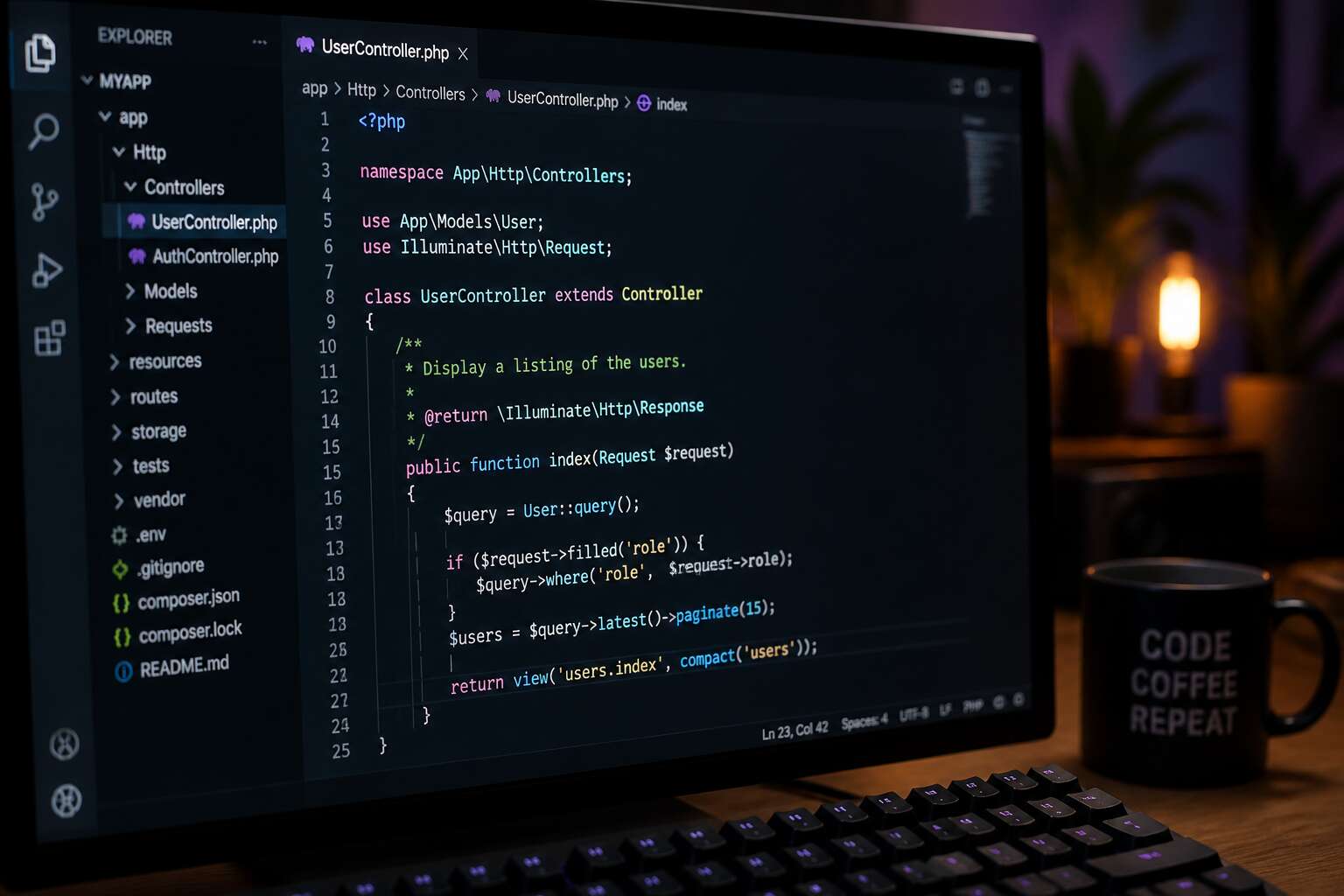
Understanding PHP Scripts
How PHP Scripts Work
Every time you load a webpage, a php script might be running behind the scenes. Unlike static HTML, which sits on the server until requested, it executes on the fly. The server parses the code, processes data, then sends the resulting HTML to your browser. This entire process happens in a fraction of a second.
How does this execution unfold? The server identifies the php script by its file extension. It hands the code to a PHP interpreter, which reads instructions line by line. Variables, loops, and functions come to life. The interpreter then produces plain HTML. No one sees the original code. Only the rendered result reaches the visitor.
A simple example clarifies the sequence:
- The browser requests a file, like index.php.
- The server passes that file to the PHP engine.
- The engine runs the script and returns HTML.
This flow repeats for every request.
PHP Script Syntax Basics
Every php script depends on a strict syntax, a grammar that separates functioning code from a blank page. Each statement ends with a semicolon, an absolute delimiter. Variables carry a dollar sign before their names, like $user or $total, which tells the interpreter that a value waits in memory. Names are case sensitive, so $User and $user refer to different places.
The syntax follows a set of rules:
- Statements always terminate with semicolons.
- Variable names begin with $ plus a letter or underscore.
- Comments use // for single lines or / / for block annotations.
- Curly braces group the bodies of functions and conditionals.
Double quoted strings interpret variables inside them, while single quoted strings print literal text. This structure allows branching, looping, and responses to incoming data. The interpreter tolerates extra whitespace; formatting stays a matter of readability, not requirement. A php script with clean syntax reads predictably, which becomes useful when several developers touch the same file.
PHP vs Other Scripting Languages
Nearly 80% of the web runs on PHP, yet developers still debate its place among scripting languages. A php script often executes directly on the server, while Python and Ruby demand explicit frameworks for similar output. JavaScript lives in the browser, so it cannot handle file storage or session tokens without extra services. What sets PHP apart is its shared hosting friendliness. Most South African hosting packages run Apache and PHP without extra setup. You upload a file, and it works!
Consider these differences:
- PHP processes requests in a single thread per visitor.
- Python requires WSGI or ASGI setup.
- Node.js uses an event loop, which changes how you write code.
- Ruby on Rails adds structural conventions from the start.
Each language has merits, but the php script remains the quickest way from an idea to a live webpage. PHP scales with minimal configuration when you need it.
When to Use PHP Scripts
Behind every online payment, every booking form, and every login you make, a php script is working in the background. This ubiquity is not an accident. It is the result of a language designed to do one thing well: deliver web content without unnecessary ceremony.

Understanding PHP starts with seeing how a single file is interpreted on demand. No framework, no compilation step. You see what runs, and that control matters when you debug at 2 a.m.
When to use it depends on your environment and your timeline.
- Your hosting provider runs Apache without extra modules.
- You need to modify a feature after deployment without rebuilding an entire application.
- Your team is comfortable with direct file editing over configuration layers.
I have used php script in small and large systems. The starting threshold is low, but the ceiling is high enough for enterprise work!
Common PHP Script Applications
Seventy-seven percent of websites still run on PHP. That statistic does not surprise developers who have debugged a server at midnight! Understanding this language means accepting its simplicity. A single file receives a request, does its job, and sends back HTML or JSON.
Common PHP script applications focus on practical tasks. They process payments, manage logins, and generate dynamic content. Most content management systems, including WordPress, use this language internally.
- E-commerce storefronts and payment gateways
- Booking engines and reservation systems
- REST API endpoints for mobile apps
- Custom admin panels and internal tools
From small business sites in Durban to enterprise platforms in Sandton, these scripts remain essential.
Writing Efficient PHP Scripts
Code Organization and Structure
A single misplaced semicolon in a php script can bring down an entire booking system. I have seen sprawling files where functions hide in shadows and variables mutate without warning. Efficient structure is not cosmetic; it is survival. Group related logic into discrete classes or modules. Separate concerns like database access from presentation. This discipline reduces the cognitive load when you revisit the code months later.
Consider these structural pillars:
- Keep functions small and single purpose
- Use a consistent naming convention
- Centralize configuration in one file
Organizing a php script this way means you can trace a bug’s path without a torch. It also makes your codebase legible to your future self or a colleague. Clean structure is the difference between a tool and a trap.
Reusable Functions and Classes
A php script is a sequence of commands, but the way you craft it determines whether it endures or decays. In my years of debugging, I have seen functions that try to do everything, and they fail at all of them. Reusable functions and classes are your defense. They allow a single implementation to serve many call sites, reducing repetition and the chance of error. Consider these principles:
- Keep each function accountable for one outcome
- Design classes around a single responsibility
- Reuse code by composition, not by copying
A well designed php script becomes a library of reliable actions. You call a function, it returns a result, and you move on. No surprises! I have witnessed a project saved by a single class that could be instantiated across multiple modules. That is efficiency. That is the quiet power of thoughtful structure. Write every php script as if a stranger will inherit it, because they will.
Error Handling in PHP Scripts
An efficient php script does not happen by accident. It requires deliberate choices about memory, execution time, and external calls. Slow code often comes from lazy patterns. A query inside a loop is the usual cause. Every iteration hits the database again. Fetching once and reusing the result solves it.
Error handling follows a similar logic. A script that ignores warnings is a liability. I have seen production servers accumulating useless logs because nobody bothered to set a proper error level. Proper error handling takes several forms:
- Logging to a file instead of the browser.
- Throwing exceptions for unpredictable conditions.
- Returning a fallback response when something fails.
Optimizing Database Queries
One query executed a thousand times. That is how a site slows to a crawl. The remedy is rarely more hardware. It is better query design.
Slow database calls share obvious patterns. Missing indexes force full table scans. Selecting every column multiplies network traffic. Running queries inside loops multiplies the damage. In my experience, poor indexing causes most slow queries.
A well-optimized php script depends on three things:
- Index columns used in WHERE clauses.
- Fetch only the fields you actually need.
- Batch inserts instead of row-by-row writes.
Reduce round trips. Merge related queries into one. The database is the bottleneck. Give it less work.
Caching Strategies for PHP Scripts
In South Africa, where mobile data costs remain a real concern, a bloated php script punishes users before they even read a word. Caching turns that around. Page caching stores the finished HTML output, so the server stops rebuilding the same page for every visitor. Object caching takes a different route. It remembers database results and computed data in memory. The difference is visible in response times. A php script that pulls from cache can answer in milliseconds, while one that recalculates everything takes seconds.
Several considerations shape a sensible caching strategy:
- Cache invalidation matters more than cache size.
- Short-lived caches are often better than permanent ones.
- A layered approach works best: page cache, object cache, then a fallback.
The real skill is knowing when a cached result is still valid. Stale data erodes trust quickly, especially for e-commerce or news sites. A well-structured php script makes this easier by separating logic from presentation, which gives you clean points to insert caching layers. Write the code so that caching is an add-on, not an afterthought.
Securing Your PHP Scripts
Input Validation and Sanitization
Every php script processes user input. In a Johannesburg server, a single percent sign can corrupt an SQL statement. I have witnessed engineers spend hours defending their code, only to forget the rule: never trust the user!
Validation examines whether data matches an expected format. Sanitization removes dangerous characters. Together, they form a basic safety routine.
- Unsanitized form submissions
- Malicious query strings
- Crafted HTTP headers
A disciplined codebase checks each field against a strict pattern. It rejects anything unusual without delay. This small repetition prevents data loss and unauthorized access.
Preventing SQL Injection
The 2023 Data Breach Investigations Report still lists SQL injection as a leading attack vector, and your php script is not immune just because your server lives in Johannesburg. A single apostrophe in a search field can morph a harmless query into a destructive command. Input validation helps, but attackers have learned to encode payloads, use hex, or exploit nested queries. A crafted parameter can twist a SELECT into a DELETE.
The solution is not more filters. It is a structural change. Parameterized queries force the database to treat user input as data, not as executable syntax. This separation is the foundation of secure database interaction. Every php script that handles passwords, orders, or personal details must adopt this pattern. Without it, you are merely hoping the attacker makes a mistake. They usually do not.
Cross-Site Scripting (XSS) Protection
Cross-site scripting, or XSS, remains a persistent threat. It does not delete your database; it steals your visitors’ credentials and session tokens. Every php script that echoes user input without encoding exposes your application. Attackers inject scripts through comments, profile fields, or search terms. The browser cannot distinguish your code from theirs.
The remedy is context-aware output encoding. Escape HTML entities, URL parameters, and JavaScript contexts separately. A single function does not cover all cases. Use a security library that understands each context. Test your php script with payloads like `alert(1)` and encoded variants.
Remember, your server in Johannesburg is not invisible. Attackers scan for vulnerable endpoints globally. Treat every output as a potential weapon!
Session Security and Authentication
Session theft turns a simple oversight into a full account takeover. Attackers target session IDs because they bypass password checks entirely. For a php script operating in South Africa, where mobile money and online services are expanding, session security cannot be an afterthought. Secure deployments regenerate session IDs after authentication, set cookie flags to HttpOnly and Secure, and force HTTPS transport.
- Accepting session IDs from query strings.
- Storing session files in world-readable directories.
- Failing to expire sessions after inactivity.
Modern php scripts rely on password_hash() with the default algorithm, not md5 or sha1. Rate limiting on authentication endpoints blocks brute force attempts. Session activity monitoring catches unusual patterns. A mature php script treats every login as the start of a continuous verification process.
File Upload Security
Every php script that accepts a file upload must treat that upload as a security event. Attackers hide executable code in images. A South African ecommerce site handling proof of residence documents discovered a .jpg that was actually a backdoor. The script trusted the filename. It never inspected the file header. It stored everything inside the public directory.
That failure is common. The upload handler must verify content, not guesses. Non negotiable checks include:
- Inspect magic bytes, never trust MIME types.
- Reject double extensions such as .php.jpg.
- Generate random filenames with no user input.
- Store files outside the web root.
A robust php script limits file size, enforces file count, and logs every attempt. In South Africa, where identity documents circulate online, an insecure upload point leaks more than data. It leaks trust.
Debugging and Testing PHP Scripts
Using Xdebug for PHP
Most developers I know in Johannesburg spend more time chasing a single variable mismatch than writing the php script that caused it. Xdebug turns that frustration into a structured process, letting you inspect execution line by line without guesswork.
When you run a php script with Xdebug enabled, it captures every function call and variable assignment. That data translates into stack traces and interactive breakpoints, which are invaluable when handling code written by someone else or by yourself three months ago.
- Step through loops to find off-by-one errors
- Examine session data mid-request
- Measure memory usage per function
For South African developers working on shared hosting, the remote debugging feature alone justifies the setup cost, especially when a php script behaves differently on staging than in production.
Unit Testing with PHPUnit
Roughly 43% of developers admit their tests are just a stack of `var_dump()` echoes and a prayer. If that statistic feels personal, you’re likely working with a php script that is one bad merge away from a public meltdown.
PHPUnit offers a more dignified path. It functions as a structured, repeatable method for verifying that your code’s observable behaviour matches its intended design. You write assertions, declare expectations, and let the test runner judge the php script’s execution. The key is that it runs all of this through the CLI, completely bypassing the browser, which saves you from refreshing a page 500 times per sprint. A typical workflow looks something like this:
- Assert that a function returns an expected array structure.
- Mock external API calls to ensure your tests only evaluate your logic.
- Verify the exact SQL queries an ORM generates for a specific set of parameters.

The real payoff appears when you’re handed a legacy php script that has no documentation. You can write tests that guard the current behaviour before you touch a single line of code. This creates a safety net that catches regressions instantly, so your refactoring effort doesn’t turn into a completely new, undocumented product.
It’s not always glamorous. Writing a test suite takes time, but it is faster than the grey hair that comes from debugging a staging server that only breaks at 3 PM on a Friday. The clarity you gain from a suite of passing tests tends to make you a better developer, precisely because you have to look at your outputs with the same suspicion you usually reserve for a code review from a developer who has been awake for 30 hours. When a php script eventually does fail, your unit tests will narrow the search radius instantly, meaning you might actually get home for dinner before the boerewors burns.
Common PHP Runtime Errors
A PHP script often fails not in the syntax but in the runtime. The classic culprits: undefined array keys, null pointer dereferences, and type juggling surprises. These errors appear only when the code executes, often under specific conditions. A local environment might pass while production throws a fatal error.
Debugging a runtime error requires reading the stack trace with patience. The trace tells you the call order, the file, and the line number. Start there. Check the variable states before that line executes.
Common runtime errors include:
- Calling a function on a non-object.
- Including a file with a missing dependency.
- Memory exhaustion from an unbounded loop.
Each one has a signature. When a php script hits one, you will recognise it faster the next time. Testing becomes less of a gamble.
Logging and Monitoring
Debugging is a social exercise between you and the code, a conversation where the php script usually has the last word. Consider the tools at your disposal before you dive into the fray. A well placed `error_log()` call often reveals more than a full debugger ever will.
When visibility is the goal, structured logging is non negotiable. It turns a chaotic wall of text into a narrative you can actually follow.
- Log the user context, not just the error message
- Record the exact memory peak and execution time
- Track the session ID to correlate a single user’s journey
- Store logs in a centralised system for querying
Monitoring transforms passive logs into an active early warning system. You want to know about a failure before your customers tweet about it. Set up alerts for specific error codes and watch for trends. A sudden spike in 500 responses might indicate a deployment issue or a misbehaving third party API. The goal is to make your php script transparent, so you spend less time guessing and more time fixing.
Performance Profiling with XHProf
Performance profiling is where a php script reveals its hidden costs. XHProf shows you every function call that slows your request. In my experience, a single database query can eat up 80% of execution time. XHProf lets you see that instantly.
It records memory usage, call counts, and wall time. You can trace slow functions and memory leaks. Here is what I look for:
- Functions called thousands of times
- Unexpectedly slow SQL queries
- Memory spikes that stall your server
The real power is comparing profiles. Run XHProf before and after a change, and you know if you improved or broke something. Profiling every php script in production should be routine.
Deploying and Maintaining PHP Scripts
Server Environment Setup
With PHP powering close to 77% of all websites, your php script deserves an environment built for reliability. Deployment starts long before you upload a single file. In South Africa, where bandwidth can be unpredictable, the choice between nginx and Apache determines how well your application handles sudden traffic surges.
The server setup should include PHP-FPM pool sizing, timezone configuration, and strict permissions on the web root. A rollback procedure, whether through Git tags or database snapshots, is non-negotiable.
Essentials for your deployment checklist:
- Set distinct environment variables for development and production.
- Pin your PHP version to a supported release.
- Use a build script to clear cache and compile assets after each deploy.
Maintenance requires the same vigilance. Check for end-of-life PHP versions every quarter. Update your dependencies only after testing them in staging. A php script that runs smoothly today will break tomorrow if the server environment drifts from your documented baseline.
Version Control and Continuous Integration
Every php script has a history. Version control preserves that history, while continuous integration verifies each change before deployment. Without both, releasing code becomes unreliable.
Consider the South African development team pushing code from Cape Town to a Johannesburg server. A single uncommitted change can unravel a production release. Git tags mark safe points. CI pipelines run tests before anything reaches the live environment.
- Which branch triggered the build
- Which PHP version runs the tests
- Whether database migrations apply cleanly
- Whether cached assets regenerate
The maintenance burden does not disappear after launch. It shifts. Dependencies evolve. PHP versions expire. A php script that passed every check today may fail tomorrow because a library updated overnight. Continuous integration catches those failures early. Version control allows a clean return to a known state.
Automated Deployment Pipelines
Deploying a php script by hand is a ritual I no longer trust. Automated deployment pipelines change the relationship between code and server. The pipeline packages the php script into a known artifact, pushes it to the target environment, and verifies the result before traffic arrives.
A well designed pipeline handles the unglamorous work:
- Copying only changed files, not the entire repository
- Running database migrations in a controlled order
- Flushing cached bytecode without killing active sessions
- Switching symlinks for zero downtime releases
For South African teams, geography adds urgency. That Johannesburg server sits far from Cape Town. A pipeline can stage the artifact locally, test it against production data, and release during low traffic. The old method, FTP and hope, never gave that visibility. Automated deployment is how a php script survives contact with reality!
Updating PHP Dependencies
Outdated dependencies create ongoing costs for every project you maintain. The 2023 Open Source Security and Risk Analysis report found that 96% of scanned codebases rely on open source components, yet most teams update them only when something breaks.
Updating PHP dependencies repeats throughout the life of a project. Composer locks exact versions in composer.lock, which means a php script behaves the same on your laptop in Sandton and on that server in Durban. A locked version is not a frozen one. Security patches, bug fixes, and compatibility updates arrive weekly. For teams spread across South Africa’s long distances, consistent dependency versions matter even more.
Before you run an update, look at these steps:
- Use composer update with a specific package name, not the entire file
- Read the changelog for breaking changes
- Test the new code against your staging environment
- Watch for conflicts with older PHP extensions
Dependency drift is the real danger. A php script that worked last year may fail after a minor PHP version upgrade. The teams that avoid this are the ones that update monthly and run Composer’s audit command to flag known vulnerabilities.
Monitoring and Maintenance Best Practices
A deployed php script is not a finished product. It enters a pattern of observation and adjustment. Monitoring tells you what is happening now. Maintenance ensures the script survives what comes next. In South Africa, where teams often work across different provinces, a simple uptime check can save hours of remote troubleshooting.
Consider what your monitoring stack actually measures. Disk space and response times only show part of the system. Application level metrics, such as failed logins or slow database queries, reveal problems before users notice them. Review these numbers weekly, not quarterly. Teams that wait for a complaint often discover the cause took days to trace.
- Routine health checks create a baseline for each php script
- Documented behaviour helps new team members interpret errors
- Rotated credentials reduce risk after staff changes
- Error rate tracking catches regressions after deployment
Maintenance is a discipline. A php script that receives regular attention will outlast one left untouched until failure forces action.

