
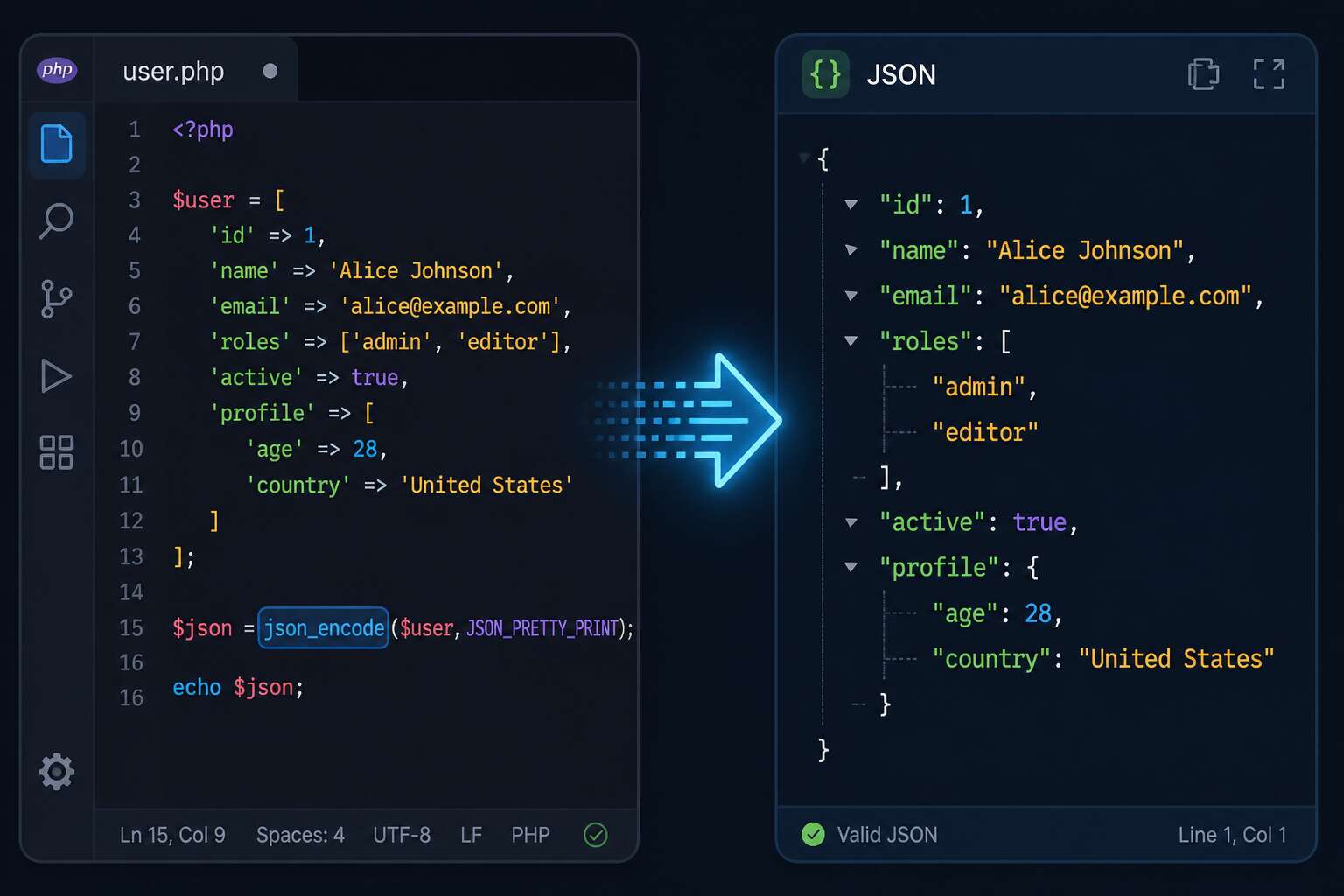
Fundamentals of json_encode
JSON dominates modern data exchange, yet many developers overlook the quiet power of the php json_encode function. This function acts as a bridge between PHP arrays and the web’s most common language. When an API returns garbled text, the culprit often sits in forgotten flags or misconfigured depth limits.
- Unicode handling shifts based on your chosen JSON_UNESCAPED_UNICODE flag.
- Nested arrays can trigger deep recursion errors without proper depth settings.
- Invalid UTF-8 sequences cause immediate failure, leaving no room for error.
I have spent hours chasing down a single missing backslash. The function returns false on failure, then json_last_error reveals the exact problem. That level of transparency is rare. In South Africa’s growing tech sector, local developers face unique challenges with data encoding. Understanding these fundamentals transforms a frustrating process into a precise operation. Master php json_encode, and your data becomes predictable.

Configuration Flags and Parameters
Few developers realise that php json_encode transforms data silently, until the output surprises you. The configuration flags determine how your arrays and objects become text. I have spent hours chasing malformed responses caused by missing parameters.
Consider these common flags!
- JSON_PRETTY_PRINT adds whitespace for human readability.
- JSON_UNESCAPED_UNICODE preserves characters like Zulu glyphs.
- JSON_NUMERIC_CHECK converts numeric strings to numbers.
Each flag alters the resulting string’s nature. The function becomes a tool for precision. Tune them carefully, because defaults rarely match your specific needs.
Encoding Data Structures Correctly
Skipping position 3 in a numeric array can turn a clean API response into a confusing object. That is the quiet rule of php json_encode: integer keys only stay an array while they remain consecutive. Skip one, and PHP programs a different data structure entirely, often leaving your frontend uncertain of what has arrived.
I once watched a serious bug in Sandton because the client had deliberately started their array at 10. It looked tidy, but that single gap changed everything.
- Starting an array at an arbitrary number
- Deleting a key before you are done filtering
- Accepting a numeric string as an array key
Each one pushes php json_encode towards object behaviour when you intended list. Check the key sequence before you serialise, and you honour the intended structure.
Troubleshooting and Error Handling
Errors whisper, they rarely shout. That is especially true in PHP when `json_encode` decides to fail silently, returning `false` and leaving you to untangle a mystery. I have been there, staring at a blank response, wondering where my carefully crafted array went. The good news is that the silence is deceiving. You can coax the truth out of the function, transforming a frustrating dead end into a clear diagnosis.

The primary suspect is almost always an invalid UTF-8 sequence. Your data might look perfect, but one rogue character can derail the entire process. To catch this culprit, you can retrieve the exact error message using `json_last_error_msg()`. This function acts like a translator, turning a cryptic failure into plain English.
Here is a quick mental checklist for when things go wrong:
- Check for `JSON_UNESCAPED_UNICODE` if you are handling special characters.
- Validate that your data is not a resource or contains recursive references.
- Confirm your source strings are properly encoded in UTF-8.
Debugging this way turns a moment of panic into a simple investigation. When you finally see that clean JSON output appear, the relief is palpable. It is a small victory, but in the world of web development, it feels monumental. Handling the `false` return gracefully is the difference between a fragile script and a robust application.
Optimizing Performance and Memory
php json_encode can reveal hidden performance costs when payloads grow large. The function copies data into a string buffer, consuming memory linearly with input size. For a typical Cape Town ecommerce order, that overhead is negligible, but a feed serving thousands of items becomes a memory hog.
I have seen malloc failures from overusing json_encode in long-running processes. Passing the JSON_UNESCAPED_SLASHES flag prevents escaping every forward slash, saving bytes per occurrence. Over many rows, that adds up! Consider targeted tweaks:

- Use JSON_PARTIAL_OUTPUT_ON_ERROR to avoid fatal errors on malformed data.
- Unset source arrays immediately after encoding.
- Profile memory using memory_get_peak_usage.
Benchmark each change against real traffic. Sometimes simple unset frees more memory than any flag. Remember that php json_encode allocates temporary storage; freeing the original dataset before the encoding call reduces peak memory.
Real-World Applications and Best Practices
PHP’s `json_encode` function is the silent workhorse of modern web development. It quietly transforms complex arrays into a format that every language understands, bridging the gap between your server and the browser. Without it, the seamless experience of loading new content without a page refresh would grind to a halt.
The function offers incredible flexibility, but a few best practices keep your data secure and your code clean. Always specify the depth limit to prevent recursion issues, and consider encoding slashes to avoid breaking inline scripts. Error handling is equally crucial; a silent failure can corrupt an entire API response. Use `JSON_THROW_ON_ERROR` to catch problems immediately and respond gracefully.
Here are a few essential flags that elevate your output:
- `JSON_PRETTY_PRINT` for readable, debug-friendly responses.
- `JSON_UNESCAPED_UNICODE` to keep international characters intact.
- `JSON_NUMERIC_CHECK` to convert numeric strings into proper numbers.
Beyond the basics, think of `php json_encode` as your data’s passport. It validates your output, ensuring that what you send is what the client receives. In South Africa, where mobile data is precious, sending compact, correctly encoded payloads means faster load times and happier users. A well-structured JSON response is not just code; it’s a clear, concise conversation between your application and the world.

